

The Best Travel Laptops of 2023

As smartphones have become more powerful, many tasks once needing a computer can be done with the gadget in your pocket. For watching movies and doing a range of other things that need a larger screen, tablets are cheaper, lighter, and just as good.
Still, when it comes to getting proper work done, you just can’t beat a proper laptop. You’ll soon hit the limits of a mobile device, since Android and iOS are designed to do one thing at a time, using a touch interface. Most work tasks are not.
Many professional tools are limited or unavailable for mobile operating systems, and everything from writing to coding and editing photos or video footage is much faster and easier on a laptop than anything else.
We’ve been traveling with portable computers for over 15 years, from the tiniest netbook to the most powerful MacBook Pro, and know what works and what doesn’t. After checking out dozens of the latest models, of all shapes, sizes, and prices, we’re confident these are the best laptop options for travelers right now.
Whether you’re on a super-tight budget or have plenty to spend, work full-time from the road or just want something for an upcoming vacation, we’ve got you covered.
Note that we haven’t included Chromebooks in this list, as we view them as a separate and more limited type of device.

- Weight: 2.4 pounds (1.1kg)
- Battery Life: Up to 19 hours
- Specs: AMD Ryzen 7 6800U, 16GB RAM, 1TB SSD, 3 x USB C
- Display: 13.3″ 2880 x 1800 OLED screen
- Operating system: Windows 11 Pro

- Weight: 2.7 pounds (1.2 kg)
- Battery Life: Up to 18 hours
- Specs: Apple M2, 8GB+ RAM, 256GB+ SSD, 2 x USB C
- Display: 13.6″ Retina 2560 x 1664 IPS screen
- Operating system: macOS

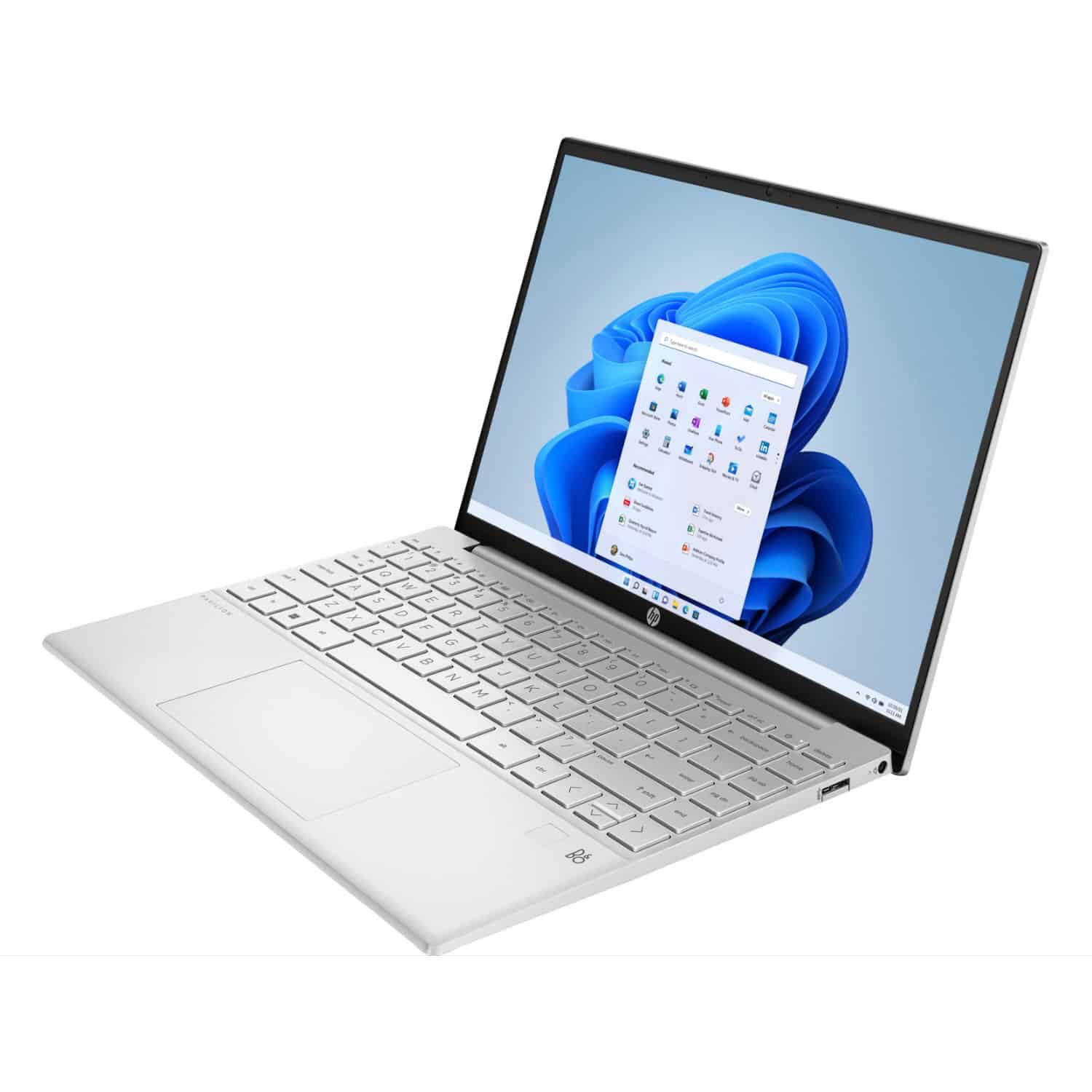
- Weight: 3.3 pounds (1.5kg)
- Battery Life: Up to 10 hours
- Specs: AMD Ryzen 5 5600U, 16GB RAM, 256GB SSD, 2 x USB-A, 1 x USB C, 1 x HDMI
- Display: 13.3″ FHD+ 1920 x 1200 IPS screen
- Operating system: Windows 11 Home

- Weight: 3.3 pounds (1.5kg)
- Battery Life: Up to 12 hours
- Specs: AMD Ryzen 5 5500U, 16GB RAM, 256GB SSD, 1 x USB C, 2 x USB-A
- Display: 14″ FHD 1920 x 1080 touchscreen
- Operating system: Windows 11 Home

- Weight: 3.0 pounds (1.3kg)
- Battery Life: Up to 12 hours
- Specs: AMD Ryzen 9 6900HS, 8-32GB RAM, 512-1TB SSD, RTX 3050Ti GPU, 2 x USB C, 1 x USB-A, 1x HDMI
- Display: 13.6″ FHD+ 1920 x 1200 IPS touchscreen
- Operating system: Windows 11 Home

- Weight: 1.2 pounds, plus Type Cover
- Battery Life: Up to 11 hours
- Specs: Intel Pentium Gold or Core i3, 4 or 8GB RAM, 64GB eMMC or 128GB SSD plus microSD slot, 1 x USB C
- Display: 10.5″ IPS 3000 x 2000 touchscreen
- Operating system: Windows 11

- Weight: 1.9 pounds (879g) plus Type Cover
- Battery Life: Up to 15 hours
- Specs: Intel i5-1235U or i7-1255U, 8-32GB RAM, 128GB-1TB SSD, 2 x USB C
- Display: 13″ IPS 2880 x 1920 120Hz touchscreen
- Operating system: Windows 11 Home
What to Look For
While a great travel laptop is usually a good choice for most other things, not every great laptop is a good choice for traveling. Certain features become much more important on the road than in daily life, while others matter far less or not at all. Here’s what you need to consider.
Size and Weight
Size and weight play a role when choosing any kind of laptop, but when it comes to travel, they’re absolutely crucial.
No matter how good the performance is, if a laptop is too big or weighs too much, it’s going to be a problem on the road. Having a notebook that fits easily in your carry-on luggage is an absolute priority, especially if you’re backpacking or traveling light, but even if you’re not.
While a smaller screen diagonal (e.g. 13″ vs 15″) typically makes for a smaller device, keep an eye out for bezel-less models that reduce the overall dimensions without cutting down the size of the display.
Weight is a massive factor, too (pun intended!). Laptops can differ significantly in weight, with some gaming beasts tipping the scales at over six pounds. While these can match a desktop PC when it comes to performance, they’ll ruin your travel experience. Trust me, your shoulders, back, and carry-on baggage allowance will all thank you for choosing something lighter.
On the other side of the fence, some ultra-lightweight models get down as low as two pounds. You typically make sacrifices in terms of performance and cost to hit that, but if you’re really trying to reduce the weight of your carry-on or day bag, they’re likely worth considering.
For most people, however, aiming for somewhere around three pounds is the sweet spot. It’s OK to go a bit over, but not by a lot: don’t forget, you’ll need to carry your adapter, mouse, and other gear too, and it all adds up.
Finally, even if it’s quite heavy, don’t be tempted to stow your laptop in your checked luggage when you’re flying. Not only do airlines and the relevant authorities strongly advise against it, there’s a high chance of damage or theft as well. Keep it in your carry-on!
Battery Life
When using our laptops at home, battery life just isn’t that important. Even when working at a cafe, sockets are typically easy to access these days, meaning you can just plug in as needed and never worry about running out of charge.
Traveling, well, that’s an entirely different story. Your laptop battery can be a literal lifesaver when traveling, and if not, it certainly makes long bus and train rides much more interesting. If you work from the road, it makes you more productive on travel days as well, which means more money in your pocket.
Sure, you can carry a portable laptop power bank if you want to (and many people do), but it’s yet another heavy, bulky, and expensive gadget to keep in your day bag. If at all possible, you’re just better off getting a laptop with great battery life to start with.
How long a single charge will last depends a lot on how you use your laptop, but the models we chose will all last at least 10 hours of light usage, with the best ones going close to double that. It may sound trivial, but a few extra hours of battery life really does make for fewer headaches when you’re on the road.
Build Quality and Reliability
When buying a laptop for home use, it’s the components inside that matter more than anything else. When choosing a model that will travel the world in your backpack, however, build quality suddenly becomes a significant factor.
While no laptop will handle being dropped off a cliff, there’s a big difference between cheap plastic cases and those made from aluminum or other metals. Remember, your computer will be pressed against who knows what in your backpack, and regularly bumped, knocked, and dropped no matter how careful you are.
You’re likely to use it in less-than-ideal conditions as well: heat, humidity, and dust are all laptop killers over time. In short, travel is hard on your electronics, laptops included, so anything that can handle a bit of bad weather and rough treatment will last noticeably longer on the road.
The laptops we recommend are from renowned manufacturers and are, in many cases, their flagship models. That means they have a good track record, often made from premium materials, and in general are far less likely to suddenly stop working when you’re thousands of miles from the nearest repair center.
Specifications
Let’s face it, having an ultra-lightweight, super-thin, made-from-spider-webs-and-magic laptop is worthless if it lacks the horsepower to do what you need it to. Specifications are as important as with any other laptop – it’s just that travel-based versions need to tick some other boxes too.
The laptops below are powerful and will cover most work-related needs, such as designing, programming, and writing, as well as everyday use and even light gaming.
We have a gaming recommendation as well, but you’re still somewhat limited by size and weight: if you’re a hardcore gamer, you’ll need to compromise either performance or portability. True high-end gaming laptops are usually very big and heavy, and there’s not much you can do to change that.
For everyone else, here’s what to look for:
- When it comes to CPU, the choice between Intel vs. AMD on a Windows laptop often comes down to personal preference. Right now, AMD chips provide better value and slightly longer battery life, but Intel still has the edge in performance. Apple uses its own M1 and M2 processors, so you don’t have a choice to make there.
Suggestion: Intel 12th-generation i5 or i7, Ryzen 5 or 7 6000 series - Today, most laptops have integrated graphics inside their CPU, which is a good solution for everything but high-end gaming. You don’t get to choose which one you want: it comes down to whether your laptop has an Intel, AMD. or Apple chipset.
- 8GB of RAM is mandatory, but if you can, go above that, especially if you use resource-heavy programs for work. If the price difference isn’t much to go to 16GB, it’s worth the extra outlay.
- In terms of storage, solid-state drives (SSD) are more robust and give better performance than old-school hard drives, and are the standard in laptops nowadays.
How much space you need depends somewhat on your usage: if you rely on cloud services like Google Drive, you might be able to save a bit of money by going for a 128 GB version. Given how often internet is unreliable or unavailable on the road, however, we’d suggest 256 GB+, or a laptop that supports memory cards. - The display quality and resolution are important, too, although there are trade-offs to be made here. Higher resolution means you can fit more onto your screen, but text will be smaller and battery life will decrease. We’d suggest FHD (1920×1080) resolution or a little higher for most 13″ laptops: 4K is overkill on a display this size.
IPS displays are standard for most current laptops. OLED screens give higher image quality and color reproduction with lower battery consumption, but you’ll pay more for them. A matte, anti-glare screen coating is useful either way, since you’ll likely use your laptop outside at times.
Warranty
No matter how good a laptop is, at its heart it’s still a fragile electronic device. Travel is hard on any electronics, so while you should always try to take good care of your machine, it’s not exactly unheard of for problems to occur.
Knowing you’re covered by a comprehensive support network if the worst happens gives some extra peace of mind. While warranties depend on the manufacturer or even the store you purchased your laptop from, some companies offer much better warranties than others.
Choosing widespread, ultra-popular brands will ensure that you’ll always be able to find an official dealer or at least an authorized service center for your model. That said, be sure to check whether your warranty is global in nature or restricted to certain regions, and how the repair process actually works.
If you’re changing cities or countries regularly, even the best warranty support in the world isn’t much use if your laptop has to be sent away for repair and takes weeks to get back.
Laptop Style
You’ve got three basic choices when it comes to choosing a laptop style: traditional (also known as clamshell), convertible 2-in-1 where the touchscreen can be folded backward, or a tablet with a detachable keyboard.
While we typically find that 13″ convertibles are really too big and heavy to use as a traditional tablet, they still have their uses for travel, especially in cramped situations like plane and bus seats.
Often you won’t have enough room to use a mouse, and even typing on the keyboard can be inconvenient. In those situations, having a laptop you can use as a tablet or in a “tent” shape is genuinely useful. We’ve done this to watch TV shows on many long-haul flights over the years!
Price
While it’s obvious that you can’t buy something you can’t afford, purchasing a new laptop isn’t something you do every day. For most people, this isn’t a travel-specific purchase either: the machine you choose will serve you both on the road and at home.
There are so many other areas where you can (and even should) save, but laptops aren’t one of them. It’s worth stretching your budget as much as possible to ensure you will be happy with your purchase for years to come.
That’s especially true if you’re going to use it for work. The extra investment will pay itself off in no time in terms of better performance and extra reliability, something you’ll be only too aware of the first time you miss a deadline because of a broken laptop. Be value-conscious, but choose wisely!
Best Travel Laptop (Windows): Asus Zenbook S 13 OLED

For years, Asus forged its reputation on making good value, mid-range laptops. I traveled with a couple of them for years, and they were solid, if unremarkable, machines. More recently, however, the company branched out into higher-end machines as well, with unusual designs and strong performance.
They haven’t always hit the mark with those designs, but even so, Asus has been one of the more innovative manufacturers out there for quite a while. It’s felt like it’s only a matter of time before it produced a genuinely impressive premium laptop, and this year, it finally did.
The Zenbook S 13 OLED (model number UM5302, to differentiate from other versions with the same name) is the best travel laptop of the year, at least for those who prefer Windows to macOS. Small, stylish, and very light, yet fast and with impressive battery life, there’s nothing else quite like it right now.
Let’s start with the design. At just over a kilogram (2.4 pounds), it weighs less than even the lightweight MacBook Air, and looks great doing it. There’s a choice of four colors, from aqua and dark blue to more traditional beige and white variants. The darker versions are very stylish, albeit more likely to show greasy fingerprints.
Even more than the design, it’s the screen that stands out. While OLED panels have become somewhat common in high-end televisions and phones in recent years, they’re comparatively rare on laptops. That hasn’t stopped Asus including one here, though: it’s 13.3″ on the diagonal, with a 2880 x 1800 resolution.
OLEDs have their downsides (they’re more prone to burn-in, for starters) but they also provide richer colors and better battery life. I’d have preferred a higher peak brightness and a matte screen for outdoor use, but at least when you’re inside, everything from web pages to movies looks spectacular on this laptop.
Inside, Asus has opted for an AMD Ryzen 7 6800U chipset that provides plenty of performance while being quite miserly in terms of battery use. AMD chips have been in short supply this year, which is a shame: unless you need maximum speed, they’re better than the Intel equivalents for most travelers.
You can buy the S 13 with or without a touchscreen, either 8 or 16GB of RAM, and up to 1TB of storage space. That’s assuming you can actually find all of the variants, that is: the high-end version is most consistently in stock at the moment, with the others more hit and miss.
The machine doesn’t get hot even when pushed hard, and performs well enough for light gaming use as well as pretty much any general work task you’re likely to throw at it. If that work involves a lot of data entry, you’ll also be glad to see Asus’s virtual number pad making an appearance on the touchpad.
Like most ultra-portables, the speakers are fine without being exciting: connect headphones if you want to listen to music. Similarly with the webcam: it probably wouldn’t be my first choice for taking a job interview over Zoom, but you shouldn’t get any complaints about it from family members.
The combination of that AMD processor and OLED screen give the S 13 better battery life than almost all of its rivals. Like most laptops, the advertised 18 hours is more optimism than reality, but you should still easily get a full work day away from a power socket. Plug in for an hour, and you’re back to 65% charge.
Other than the glossy screen, there’s almost nothing not to like about this Zenbook for travel, and an awful lot of benefits. Of the hundreds of Windows machines on the market at the moment, if I was buying a new laptop to hit the road with today, this is the one I’d go for.
Pros
- Small and light without sacrificing power
- Attractive and well-made
- Great battery life
- Impressive screen
Cons
- No USB-A sockets
- Webcam and speakers are only ok
- No matte screen option
- Gets expensive at higher specification levels
Best Travel Laptop (Mac): Apple MacBook Air M2

Years ago, Apple’s Macbook Air consistently made it to the top of our “best laptops for travel” list. It was small, light, and powerful enough to get real work done, in a market with few alternatives.
Things changed, though: Apple stopped updating the Air right when other companies started putting out lighter, faster, cheaper machines. At the same time, the MacBook Pro got slimmed down to the point where if you preferred the company’s ecosystem, it was clearly the model to buy.
For a long time, we confidently predicted Apple would kill the Air. After ignoring it for years, however, the company proved us wrong. Not only did it not stop selling that model, the Air finally starting getting significant updates again, and it’s now back to being a core part of the MacBook range.
Apple’s switch from using Intel chips to its own custom versions has paid big dividends in both speed and battery life. For most people, the Air is one of the best travel laptops out there, especially if they’re already part of the Apple ecosystem.
As usual with Apple gear it’s well-built and reliable. The Air comes in four colors and a couple of different versions: both have an M2 processor, but the more-expensive model has a slightly faster processor and upgrades the base storage from 256 to 512GB.
Both versions come with 8GB of RAM, and can be configured with up to 24GB of RAM and 2TB of storage. It weighs just 2.7 pounds (1.2 kg), and uses Apple’s gorgeous Retina True Tone screen. The display is crisp and vibrant, and adjusts white balance and brightness based on the ambient light for more natural colors.
The screen has got slightly larger with the M2 model (it’s now 13.6″ on the diagonal) and there’s been a minimal upgrade to the resolution as well. More usefully for travelers, the maximum brightness has been ramped up as well: you’ll now get up to 500 nits, making it viewable even in bright sunlight.
Speaking of useful upgrades, Apple has finally listened to the loud complaints about mediocre webcam quality on its laptops. There’s now a 1080p version which has double the resolution and low-light performance of its predecessor, bringing it up to somewhere near the standard of other premium laptops.
The laptop has two USB C Thunderbolt ports, and as with many other current laptops, these can double as charging sockets. Apple also revived the much-loved Magsafe charging socket from old-school MacBooks on this version of the Air, which easily detaches if the cable gets yanked by mistake.
Other than a headphone jack, though, there are no other connectors, so you’ll likely end up with various dongles and accessories in your bag. That’s a common story with many laptops these days, unfortunately, and the Air is no exception.
After years of problematic keyboards, Apple completely overhauled the design a couple of years ago, and has returned to being one of the best in the business. Likewise with the trackpad: it’s long been fantastic, and that trend continues here.
Battery life is rated at up to 18 hours of streaming, a couple of hours less than the equivalent MacBook Pro. In the real world, it’ll easily get you to the end of a long flight or work day unless you’re really pushing the machine hard, likely with plenty of juice to spare.
Overall, the latest MacBook Air simply gets almost everything right for travelers. It’s small and light, with great battery life and is plenty powerful enough for any work or leisure task you’re likely to want to do.
We don’t particularly love the notch at the top of the screen: it’s bad enough on a phone, never mind a productivity tool, and personally find it quite jarring. The only other limitation is a lack of ports, but that’s not unique to Apple.
You’re also paying a premium compared to most of the equivalent Windows machines. That’s hard to justify on the hardware alone, since high-end Windows laptops have got much better in that regard, but there are still benefits to owning Apple.
You’ll get much better integration with your iPhone or any other Apple gear you own, for example. There’s also the comfort of being able to walk into an Apple store or service agent around the world for support if you need it. Both of those things have real value.
In the past, we’ve always suggested that macOS-loving digital nomads should go for the power of the Macbook Pro instead. With the extra speed found in the latest version of the Air, however, we’re no longer making that distinction: the Macbook Air is our top pick for most Apple fans in 2023.
Pros
- Lightweight
- Fast
- Quality screen
- Good support and integration with other Apple gear
Cons
- Expensive for what it is
- Only 2 USB C sockets, no card reader or other ports
Best on a Budget: HP Pavilion Aero 13
If you’re tight for cash but still want a laptop appropriate for travel, there aren’t many good options. Machines tend to be big and heavy, with poor battery life and specifications, and are often made from cheap materials that don’t stand up well to life on the road.
One of the few to buck the trend is the HP Pavilion Aero 13, a super-lightweight machine that’s nonetheless powerful enough for most productivity tasks, and has a battery that lasts closer to a full work day than most in this category.
You’ve got a few different configuration options to choose from, but even the base model (which we’ve regularly seen for around $500) offers decent computing power. You’ll get an AMD Ryzen 5 processor, FHD display, 8GB of RAM, and 256GB of storage, all pretty much our baseline recommendation right now.
Pay a bit more, and you can upgrade your pick of any of the components mentioned above. Even if you upgraded all of them, you’ll get change from $1000, and still have a machine that weighed under a kilogram (2.2 pounds).
At around 450 nits, the non-touch display is nice and bright (a definite rarity in budget laptops), and one that you’d be happy enough to use outside on a sunny day. Color coverage and accuracy is also better than most in this price bracket: kudos to HP for not skimping on the screen like so many others.
There’s a useful selection of ports built in, including a round barrel charger, a USB C port that can also be used for charging, two USB-A sockets, and an HDMI port for connecting to an external monitor. That’s more than you get on most lightweight laptops these days.
Battery life is really the only area where the Aero 13 feels like a budget device: the 43Wh battery inside is noticeably smaller than some of the competition, and means you’ll probably only get around six hours of general office-type work between charges.
On the upside, you can charge from either the barrel charger that it ships with or any decent USB C charger you have available, and can fast-charge from zero to 50% in about half an hour. I’d have liked a bigger battery here for sure, but I guess HP had to save money (and weight) somewhere.
Speaking of weight, it’s worth reiterating just how lightweight the Aero is. At not much over two pounds, it’s the lightest 13″ machine on this list, which is remarkable given what it costs. Budget laptops normally tip the scales somewhere around a pound heavier than this.
Overall, the Aero 13 offers strong value for money and other than the battery life, makes few if any real compromises. If you need a lightweight machine to travel with that performs well and doesn’t cost a fortune, you could do an awful lot worse than this.
Pros
- Very good value for money
- Useful port selection
- Good screen
- Extremely lightweight
Cons
- Battery life could be longer
Runner-Up, Best on a Budget: Lenovo Ideapad Flex 5 14

When it comes to a budget travel laptop, it’s a close race between the HP Pavilion Aero 13 above, and the Lenovo Ideapad Flex 5 14. Depending on the current price, and exactly which features are important to you, the Lenovo can be a better option for some people.
The design of most budget machines is usually an afterthought at best, but that’s not the case here. The Ideapad Flex 5 14 is an attractive device that looks and feels far more expensive than it actually is.
Its specifications, too, are better than you’d expect. While many budget machines skimp on performance, you’ll get a snappy AMD Ryzen 5 5500 CPU, 256GB of storage, and an impressive 16GB of RAM that’s more than what comes by default in many laptops costing a lot more.
The integrated Vega 7 graphics card consumes some of that memory, but even so, this laptop is a solid performer that’s easily capable of handling most tasks you’ll throw at it.
The Flex 5 14 isn’t as thin as some of its more expensive competition, but that’s not necessarily a bad thing. The extra depth means there’s room for an inbuilt card reader, along with a USB C and two USB-A ports for connecting other accessories. Oddly there’s a round power socket on the side, but it ships with a USB-C charger.
The FHD (1920 x 1080) resolution is fine for a 14″ display, and there’s also an HDMI port for connecting to an external monitor if you’ve got one available. Because the screen folds backward to let you use it in “stand” or tablet mode, it’s a better option for watching shows on long flights than a standard laptop.
Weight and battery life are about what you’d expect from a budget travel laptop, at 3.3 pounds (1.5kg) and up to 12 hours respectively. The keyboard, so often the downfall of machines like these, is comfortable to type on, and the trackpad is better than most at this end of the market.
If graphic design is your thing, the Flex 14 is powerful enough to run many design tools, and ships with Lenovo’s Active Pen stylus for drawing or writing directly onto the touchscreen. That screen can be quite dim and reflective in sunlight, though, so you’ll likely end up using it mostly indoors.
Other than the screen brightness and a bit of extra weight to carry around, this is a 2-in-1 laptop with few compromises for travelers who need a machine that can handle a proper workload, but don’t want to blow their entire travel budget on it.
Pros
- Impressive performance for the money
- Plenty of ports
- 16GB of memory
Cons
- Screen can be quite dim in bright light
- Somewhat heavy for a travel laptop
Best 2-in-1: HP Envy x360 13
[Product unavailable]We’ve mentioned a couple of 2-in-1 devices already, but since they’re priced toward the lower end of the market, they come with compromises in specs or weight. If you’re after something better that still won’t break the bank, the best option right now is HP’s Envy x360 13.
This isn’t actually HP’s premium convertible (that’d be the Spectre x360), but the Envy x360 offers similar specs for less money, and we think it’s a better choice for most people. If there’s a sale on, or you’ve got the money for the luxury design of the Spectre, by all means buy it. If not, the Envy is where it’s at.
HP makes a few different versions of the Envy x360 13, so you’ve got plenty of choices about how you’d like to spend your money. Start with the base (bf0747nr) model and it’ll only cost you around $700 for a very capable machine. Drop a bit more, and you can get a powerhouse of a laptop for under $1000.
The starter machine still comes with 512GB of storage, plus 8GB of RAM and a pretty good 13.3″ FHD+ (1920×1200) IPS touchscreen. Play around with the options, and you can add extra memory, switch to a gorgeous 2.8K OLED display, upgrade the processor and storage, and more, all at a very reasonable price.
In any case, you’ll get a pair of USB-A ports (even one is a rarity these days), two USB C ports, and a microSD card slot. It’s a practical and useful selection, and many other manufacturers could learn something from HP’s approach here.
Weighing just under three pounds (1.3kg,) it’s not the lightest laptop you’ll find, but it’s good for a convertible and doesn’t feel particularly heavy in a carry-on bag. Max battery life is reasonable, at around 16 hours, and you’ll almost certainly get a full day’s work out of it unless you’re really pushing it hard.
If you do run out of juice, you won’t have to wait long before you’re up and running again. The 65W charger will get you back to 50% in around 45 minutes. A stylus is included in the box for those who plan to draw or write on the screen.
The keyboard is pretty good, which is far from a given on Windows laptops in this price range. Keystrokes are firm and responsive, and although it’s not the quietest keyboard in the world, it’s far from being the loudest.
It’d be nice if the backlighting automatically turned off automatically, since it makes it harder to see the silver keys in daylight, but that’s a pretty minor complaint. You can always turn it off yourself, temporarily or permanently, if it’s bothering you.
The Envy x360 13 is a fast, well-built machine, as good for binge-watching your favorite shows on a long flight as it is for working out of a café all day. It’s great value for money, with very few downsides. As a result, it’s our top 2-in-1 laptop pick for travelers at the moment.
Pros
- Great value
- Customizable for your needs and budget
- Equally good for work and play
- Fast charging
Cons
- Slightly heavier than some of the competition
- No ambient light sensor for keyboard backlight
Best Travel Gaming Laptop: Asus ROG Flow X13

As I mentioned up top, hardcore gaming on a travel-friendly laptop is always going to require some kind of sacrifice. Fitting a range of high-performance, heat-producing components into a small, thin laptop with decent battery life is challenging, and there’ll always be a compromise that gets made somewhere.
The machine with the fewest of those compromises at the moment is the Asus ROG Flow X13. This convertible laptop fits comfortably in a day bag and works well as a general-purpose work machine, yet lets you play most modern games at a decent framerate at medium or higher graphics quality.
In terms of size and weight, the X13 is very manageable, especially by the standards of gaming laptops that can easily weigh twice as much as a typical ultraportable. You’re looking at a fraction under three pounds and a 13.4″ screen diagonal: no more than some of the other non-gaming models we’ve mentioned.
Like most such laptops, you’ve got a number of different configurations to choose from. If you’re serious about gaming while you travel, it’s worth springing for one of the higher-end versions with a GTX 3050Ti graphics card and 16 or 32GB of RAM.
You’ve also got a choice of screen resolution, but that’s one area you can likely save a bit of money: the base FHD+ (1920 x 1200px) display is ideal for the power of the graphics card, gives better battery life than the upgraded version, and has a 120Hz refresh rate for smoother movement as well.
The base display is also plenty bright enough to use even outside or under strong lighting. Whichever model you go for, there’ll be a high-end AMD Ryzen 9 6900HS processor inside, and either a 512GB or 1TB SSD.
It’s a well-constructed machine, with metal where it matters and plastic where it doesn’t, and doesn’t have the wobble or flex you sometimes find with convertible laptops. The dark color scheme is a bit of a fingerprint magnet, but the X13 is hardly an outlier in that regard.
The typing experience is often a bit of an afterthought on gaming laptops, but that’s not the case here: the keyboard is quiet and comfortable to type on for long periods. The trackpad isn’t as good, relatively small and with somewhat noisy buttons, but chances are you’ll be using a gaming mouse anyway.
There’s a pair of USB C ports available (one on each side), along with a single USB-A socket and an HDMI port for connecting to an external monitor or television. That’s about what I’d expect for a machine of this size, and gives (just) enough flexibility for connecting peripherals when you’re plugged in.
That’s important, since like most gaming laptops, chances are you’ll be plugged in when you’re playing anything intensive. Battery life is fine when doing general productivity tasks, and should last a full work day. Fire up a high-end game, however, and you’ll be lucky to get an hour out of it.
On the upside, there’s a 100W charger in the box that’s more powerful than most, and will get you back to 50% in about half an hour.
Overall, this is one of the (very) rare gaming laptops that I’d actually be happy to travel with for extended periods. It has no significant compromises for work and entertainment use, can handle almost all of the games I’d want to play, and is small and light enough that it won’t infuriate me in my carry-on.
Pros
- Small and light for a gaming laptop
- Solid construction
- Also works well as a general-purpose machine
- Easily handles light to moderate gaming
Cons
- Gets expensive at higher specification levels
Best for Traveling Light: Microsoft Surface Go 3

At first glance, Microsoft’s Surface Go 3 is a bit of an odd machine. It’s a tablet computer with a 10.5″ screen that weighs a little over a pound, with a starting price under $400… yet it runs Windows 11.
The Pentium Gold processor inside the base model of the Go 3 won’t set any speed records, but you can still run most lightweight Windows apps and even play a few basic games without the machine becoming unusably slow.
That said, we’d recommend upgrading to the Core i3 model instead. The processor is dramatically faster, and since the upgrade comes with double the RAM and extra, faster storage as well, the end result is a much quicker machine.
The optional Type cover adds a keyboard and trackpad as well as protection, and it’s surprisingly enjoyable to type on. In reality it should be included in the base price, but it’s not.
Battery life is rated at up to 11 hours, and you’ll likely get around six or seven in the real world depending on what you’re doing. That battery life isn’t quite enough to get you all the way through a long-haul flight or full work day, but it’s getting close.
On the upside, because the Surface Go 3 can charge via either the Surface Connect or USB-C ports, you’ve always got the option of using a portable battery like this to power it (and all your other devices) back up again.
It’s an attractive, well-built machine, and the bright, colorful 1920×1280 display is dramatically better than you’d expect at this price point. Since storage is quite limited, the microSD slot is essential, since it’s the perfect place to dump photos, movies, and other stuff you want to access on the road.
The adjustable kickstand lets you change the angle of the Go to suit whatever you’re doing. It can sit fully upright when you’re typing, on an angle when you’re watching TV shows on the plane, or fold down entirely when you’re reading in bed.
Microsoft’s Surface Pen also works with the Go 3, making it a pretty good graphics tablet as well. It runs Windows 11S out of the box, which can only access apps from the Windows store, but there’s a free one-way upgrade to Windows 11 Home available.
While that $399 price point looks great in the marketing material, you’re likely to pay quite a bit more. The base model only comes with 4GB of RAM, a Pentium Gold processor, 64GB of sluggish storage, and no Type cover. Those specs aren’t enough to run heavyweight Windows apps, and you’ll need the keyboard and trackpad to do any real work.
The upgraded version has a much better processor, 8GB of RAM, and a faster, 128GB drive. It’s very much our pick for anyone who wants to do more than the bare minimum with this machine. Once you’ve done that and added the Type cover, the cost jumps to over $700.
That’s not unreasonable for a machine of this quality, but it’s still quite a bit more than that starting price. The cover adds an extra half-pound of weight as well, bringing it up to 1.7 pounds (770g) total.
There’s nothing else like it on the market, though, so it’s still easy enough to recommend. If you’re after an attractive, superlight machine that performs well as both an entertainment device and productivity tool, it’s definitely worth a look.
Get regular updates from the world of travel tech and remote work
News, reviews, recommendations and more, from here and around the web
The Killer Digital Nomad Setup?
For digital nomads and other remote workers, the higher-end Surface Go 3 has another trick up its sleeve: an LTE-enabled model. Drop in a data SIM, and you’ve got a small, lightweight laptop that can get connected anywhere you’ve got cell service.
If you’re from the US, this is an ideal use for Google Fi’s international roaming. If not, a local SIM will do the job equally well; you might just need to switch to a different one when you change countries.
It can automatically switch to using cell data if there’s no alternative, and back to Wi-Fi when you get within in range. Sure, using LTE for hours drops the battery life a bit, but again, a decent power bank deals with that problem.
Throw all of this together, and for under $1000 including the cover and portable battery, you’ve got a tiny computing setup that lets you work all day from almost anywhere on the planet. Could this be the killer digital nomad rig?
For some people, quite possibly. If you’d prefer a larger screen or need a lot of processing power, you’ll need to look elsewhere. If most of your work is web-based or uses standard productivity tools, however, this option is seriously worth considering.
Pros
- Lightweight for what it offers
- Quality screen
- MicroSD storage available
- Optional LTE version
Cons
- Recommended configuration a big price jump from base model
- Base model is too underpowered to be a true productivity machine
- Battery not quite enough to get through a full work day
Best Windows Tablet: Microsoft Surface Pro 9

As good as Microsoft’s Surface Go (above) is, it has its limits for full-time use. The screen is a bit small, the battery life is a couple of hours too short, and the slow CPU is a problem whenever you fire up Photoshop or open several tabs in your browser.
If you want a tablet that’s a complete laptop replacement, you’ll need to step up to the Surface Pro 9. Running the latest processors and configurable with up to 32GB of RAM and a terabyte of storage, performance is the match of any other travel-sized Windows laptop.
It’s an attractive and well-made device, and you can even pick your favorite color scheme. The tablet itself is available in graphite, forest, sapphire, or platinum, while the cover comes in a range of colors and materials.
The 13″ screen is a sensible size for long work stints, with a 120Hz refresh rate that improves everything from scrolling to fast-moving images. At up to 15 hours, battery life should also be long enough to get you through a lengthy flight or all-day work session.
There haven’t been many changes from the previous version, and one of them (the loss of a headphone jack) is more of a downgrade than anything else. One thing that has changed is the splitting of the range in two: the standard Intel-based version, and the Qualcomm-based 5G model.
Unless you really need that cellular data support, the standard model is the way to go. It’s noticeably faster for most day-to-day activities, and cheaper than the 5G version as well. You do get better battery life from the latter, but for us, the consistent performance hit doesn’t make up for it.
The typing experience has always been good on Surface devices, and that’s true here as well. It’s better than on the Go, though, since the keyboard is closer to being full-size. The optional Surface Slim Pen 2 is also compatible if you’re a graphic artist or prefer to write rather then type.
Importantly, despite all of its high-end specifications, the Surface Pro remains lighter than almost any standard laptop. The tablet itself weighs just 1.9 pounds (879g), and adding the Type Cover brings it up to a total of 2.6 pounds (1.2kg).
The Surface Pro isn’t a cheap option, especially since the keyboard cover again isn’t included by default. Just like the Go, though, there’s nothing else out there with the same mix of weight and performance. Its few competitors have similar pricing, but just don’t perform as well in one area or another.
The i5 model with 8GB of RAM and 256GB is the best mix of cost and performance, and what we’d recommend for most travelers.
Pros
- Lightweight for a high-power machine
- Quality screen
- Good battery life
Cons
- Expensive when you add the accessories
- No headphone jack, USB-A socket, or microSD slot
Main image via StockSnap, all other images via Amazon.

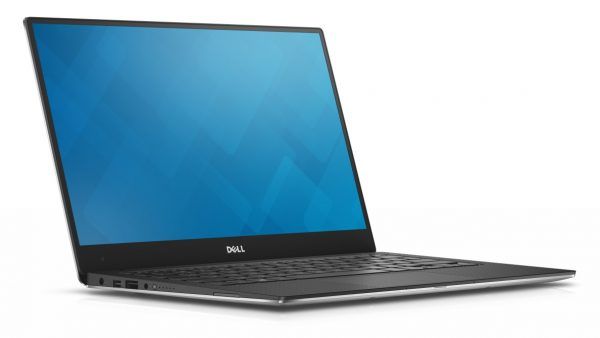




This doesn’t answer the question of what to buy when travelling in hot and humid areas…
That’s because there’s not much difference in terms of tolerance to heat and humidity between most mid to high-end laptops — certainly not enough difference to make it a decisive purchasing factor. Good internal airflow, fans, and other cooling techniques help with heat dissipation to some degree, but there’s little that can be done by the manufacturer to deal with humidity.
Most manufacturers will list equipment tolerances for humidity and temperature, but they’re all fairly similar. It’s much more about how and where the individual uses the laptop, and whether they make an effort to keep the vents and internals free of dust and dirt over time.
For what it’s worth, I’ve never had a laptop shut down or fail to start up due to excessive heat (or humidity), despite spending years in Southeast Asia and other tropical parts of the world. That said, I don’t tend to work for long periods outside or while sitting in direct sunlight, and use compressed air to clean out dust etc now and then, which undoubtedly helps.
Have you tested any of these laptops to be sure that they can connect to WIFI channels 12-14 when traveling overseas? In my experience, not all US based tablets and/or laptops can. While it’s illegal to broadcast on Channels 12-14 in the US, it’s not illegal to own a device that can connect via these channels; but that doesn’t stop some computer makers, like Samsung for instance, form throttling their WIFI at the firmware level. Please test your laptops in regard to WIFI capability before recommending them. Am currently shopping for a good traveling Chromebook that will connect to 12 & 13 while in Europe and 14 in Japan.
Manufacturers typically don’t disclose this level of detail, so we’d need to buy (from the United States) any laptop we were considering recommending, take it and a Wi-fi router that can broadcast on those channels to a different country, and set up a 2.4Ghz Wi-fi testing rig on channels 12-14 just to answer that question. Given how frequently models and recommendations change, that’s not practical for the scale of operation we run, unfortunately.
If every wireless router in Europe or Japan only broadcast on one of those three channels, it’d be a much bigger problem. Fortunately that’s not the case, since there are 11 other channels to choose from in the 2.4Ghz spectrum, and things are different again in the 5Ghz spectrum.
On a personal note, my partner and I have traveled extensively in Europe, and to a lesser extent, Japan over the last several years with a range of laptops, smartphones, and tablets purchased in the United States, and haven’t had any more problems seeing or connecting to wireless networks in hotels, cafes, airports, etc than with devices purchased elsewhere in the world. Not to say none of the networks were broadcasting on those channels, but if they were, none of the wide variety of devices we’ve used over the years were blocked from using them.
If you happen to have a laptop that does actively prevent the use of Wi-fi channels that are illegal in the US, and it is regularly causing major connectivity problems for you elsewhere in the world, picking up a little USB wireless adapter or hotspot in eg. Europe will solve the problem.
Thanks for the post, Dave! I was hoping your post would include one of the laptops I’m torn between (16-inch Macbook Pro vs MSI Prestige 15), to break the tie, but no luck. So, I’ll ask you your opinion instead. Haha!
I’m a digital nomad and I’m tired of replacing mid-range PC laptops (around $1k-1.3k) every 3 to 4 years, so I’m debating finally taking the plunge and giving Apple a shot.
Are Macbooks really that much sturdier and long-lasting than PC laptops? My friends tell me so, but they hardly ever travel, so their laptops have it a lot easier than mine…
Thanks!!!
P.S.: I use my laptops for browsing, picture editing, and some light gaming once in a blue moon.
Compared to cheap or even some mid-range Windows laptops, a Macbook of some sort will usually last longer, as the build quality is generally better.
Once you go up the price range, in my experience at least, Macbooks are no more sturdy than most similarly-priced Windows laptops. My partner (who like me traveled full-time for five years and for several months per year since then) only buys Macbook Pro’s, and replaces them every 3-4 years because they’ve developed some hardware fault or other.
That’s about as often, if not slightly more frequently, than I replace my Windows laptops. My laptops usually cost less, but not that much less, than her Macbooks — somewhere in the $1500 range.
Basically, I guess, you get what you pay for. 🙂 I would say, though, that as a digital nomad, budgeting to replace your laptop every 3-4 years is probably a good idea regardless of the brand you go for. Travel is hard on electronics as you know, and it’s rare to get more than four years or so out of even a high-end laptop when it’s bouncing around in your bag, exposed to dust, heat, and humidity etc every day on the road.
Thank you so much for the comprehensive reply, Dave!
Based on it I’ve decided to stick with Windows laptopts. I’d rather spend $1,600 on a Windows lappie than $3,000 on a Mac, if I’m still gonna have to replace it every 3-4 years.
Cheers!
Very good Reviews
Ooh great reviews! I’m a digital nomad myself and I had my Macbook with me for a long time. It’s quite handy and very light. Most of this that you featured are quite heavy to bring along. I had DELL at home actually and it’s a power laptop. Thanks for sharing this great review and I agree on all of this.
Why are there no HP products on your list?
There has been in the past, and I wouldn’t be surprised if there was again in the future, but the current crop didn’t quite make the cut.
Oh my God, reading this post is like drinking water in the middle of an island oasis. Thank you – it is so VALUABLE to be able to read the knowledgable opinion of someone with tens of years worth laptop experience. This is pay gold. It is truly a boon to my soul.
To top it off, total hate in the comment section – and I saw you responding with nothing other than useful advice! You knock my socks off. Bless you with wealth of all the computer gods.
Thanks so much Michaela — in an online world where compliments and positivity are increasingly rare, this comment is also a boon to the soul! 🙂